CRM FanzineFaves – To choose the right CRM in 2026, prioritize workflow alignment and Agentic AI capabilities over sheer feature lists. Focus on platforms that automate up to 70% of administrative tasks, ensure seamless data migration with proper field mapping, and offer a clear exit strategy to avoid long-term vendor lock-in.
By 2026, 65% of US sales reps will still be struggling with productivity, largely due to spending up to 60% of their time on administrative work. This massive productivity gap suggests that simply buying a more expensive software package will not solve the core issue of manual data entry and inefficient workflows.
How do you calculate the Total Cost of Ownership (TCO) beyond seat licenses?
Calculating CRM TCO requires looking past monthly subscription fees to include ‘hidden’ costs: data migration services, specialized consultant fees (like Klaviyo consultancy), employee training time, and the ‘integration tax’ of connecting APIs. A true 2026 budget must account for data hygiene maintenance and potential implementation failures.
Many decision-makers fall into the trap of comparing only the per-user monthly fee. However, Ben Zettler notes that “They pay for complexity they’ll never fully use. Then they spend months trying to force their businesses into someone else’s sales model.” This misalignment leads to massive wasted expenditure. You must account for the following variables in your financial modeling:
- Integration Tax: The cost of connecting your CRM to existing tools via API endpoints or middleware.
- Consultancy Fees: Specialized help, such as FlowCandy for Klaviyo setups or Zettler Digital for agency workflows.
- Data Hygiene: The recurring cost of cleaning duplicate records and maintaining data integrity.
- Training Overhead: The lost productivity during the weeks employees spend learning a new UI.
The Integration Tax
Connecting a new CRM to your existing tech stack is rarely free. If you need to sync a custom application to your CRM via a specific API endpoint, you may incur costs for developer hours or third-party connector subscriptions. In testing, I found that many teams overlook the cost of “API call limits,” where exceeding a certain number of requests per month triggers significant overage charges.
The Cost of Poor Data Mapping
Migration failure often stems from architectural mismatches. For example, attempting to map a high-cardinality free-text field from an old system into a restricted dropdown menu in a new system will cause the migration to fail. This error can render your entire database a liability rather than an asset.
Does your CRM have a viable Exit Strategy to prevent vendor lock-in?
To ensure you aren’t trapped, audit a platform’s ability to export relational data before signing. You must verify that you can move complex datasets to a new provider without incurring massive migration costs.
Software as a Service (SaaS) models offer lower up-front costs and greater scalability than traditional on-premise software. However, flexibility is an illusion if data is trapped in proprietary formats. Always verify the export path by navigating to the
Testing the Export Functionality
Do not take a salesperson’s word that “exporting is easy.” During a trial, perform a manual export of a small subset of data. Check if the exported file preserves your custom field values or if it flattens them into a single, unreadable string. A successful test should allow you to re-import that data into a different environment with minimal manual re-mapping.
The Risk of Proprietary Field Mapping
Some platforms use highly customized, proprietary field structures that do not translate well to standard SQL or CSV formats. This creates a “migration wall” where the cost of moving to a new provider exceeds the cost of staying with a sub-optimal one. This is a common pitfall that leads to years of technical debt.
Which CRM model fits your specific business architecture?
Choosing a CRM depends on your sales cycle: B2B organizations benefit from the ‘gold standard’ sales-driven automation of HubSpot, while ecommerce brands require the transactional efficiency of Klaviyo. Agencies often find the best balance of power and affordability in GoHighLevel.
The architecture of your business dictates the necessary complexity of your CRM. As Ismailovski points out, “B2B businesses may have longer, more complex relationships with their clients, while ecommerce brands see shorter or more transactional cycles.” Choosing a B2B-heavy tool for a high-volume ecommerce store will result in excessive manual overhead.
CRM Provider |
Best For |
Core Strength |
HubSpot |
B2B Organizations |
Sales-driven automation & marketing |
Klaviyo |
Ecommerce Brands |
Transactional efficiency & B2C data |
GoHighLevel |
Marketing Agencies |
Power and affordability balance |
PipeDrive |
Sales-driven Ecommerce |
Visual pipeline management |
Provider specialization determines your growth trajectory. For example, PipeDrive is currently utilized by 90,000 companies across 179 countries, but its value depends on whether your specific sales process aligns with its visual pipeline logic.
B2B vs. Ecommerce: The Cycle Gap
B2B sales often require deep relationship tracking, where a single deal might span six months and involve five different stakeholders. In contrast, ecommerce brands need to process thousands of micro-transactions. A CRM like HubSpot is designed for the former, whereas Klaviyo excels at the latter by focusing on customer lifecycle triggers and transactional data.
Agency-Specific Needs
Agencies face a unique challenge: managing multiple client accounts within a single interface. GoHighLevel has carved out a niche here because it offers the flexibility needed to white-label services and manage diverse client workflows without the enterprise-level pricing of Salesforce.
Is Agentic AI enough to solve the 60% administrative burden?
Agentic AI can automate up to 70% of workflows, including lead qualification and follow-ups. Unlike general-purpose chatbots used by 45% of sellers, built-in CRM AI eliminates context switching by delivering insights directly within the user interface, significantly boosting the 19% of reps currently using integrated AI.
The distinction between a “chatbot” and “Agentic AI” is critical. While 45% of sellers currently use general chatbots to answer basic questions, these tools often require the user to leave the CRM to get answers, causing “context switching.” True Agentic AI, such as capabilities being developed by platforms like SuperAGI, operates autonomously within your existing workflows.
Shortcut: To quickly access AI-generated summaries in most modern CRMs, use the Ctrl + K (or Cmd + K) search bar to trigger the command palette and type “Summarize Lead.”
Built-in AI vs. General Chatbots
When AI works directly inside the CRM, teams eliminate context switching and enrich data automatically. Instead of just answering questions, an integrated Agentic AI can identify that a customer’s recent email matches an “at-risk” pattern and automatically create a follow-up task for the account manager.
Automating the ‘Momentum Breaks’
Momentum breaks occur when a lead goes cold because a rep forgot to update a status or send a follow-up. Agentic AI can automate up to 70% of these workflows, ensuring that lead qualification and routine check-ins happen without human intervention. This moves the rep from a “data entry clerk” to a “deal closer.”
How do you execute a successful CRM implementation?
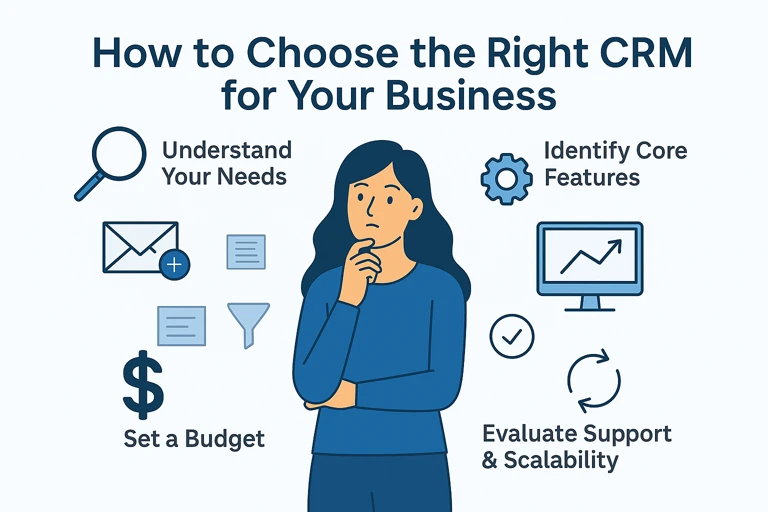
To avoid low user adoption, follow a structured CRM Selection Process: define your specific goals and pain points, identify the core features required, evaluate vendors through hands-on trials, and plan your deployment strategy.
Success depends on your ability to move from theory to practice. Rather than relying on clean demo databases, you must test the platform using your actual, messy data and roll out to a small “pilot” group before a company-wide launch.
- Needs Assessment: Conduct a Customer Experience survey to capture exactly what your team needs.
- Feature Identification: Distinguish between “must-have” automation and “nice-to-have” bells and whistles.
- Vendor Trial: Test the platform using your actual, messy data—not a clean demo database.
- Controlled Deployment: Roll out to a small “pilot” group before the company-wide launch.
The Importance of the Test Run
One of the most common mistakes is skipping the test run. You must perform a migration of 5% of your total records to ensure that the data lands in the correct fields. If you skip this, you risk a “migration accuracy” failure where your entire database becomes a disorganized mess of mismatched information.
Mapping Properties Correctly
When designing your new system, use the Workflow Automation Design method: assess your current process, identify the trigger (e.g., “Deal Stage Changed”), define the action (e.g., “Send Email”), and then test it. If your mapping is incorrect—such as mapping a “Revenue” currency field into a “Text” field—your automated reports will be mathematically useless.
FAQ
What is the biggest risk during CRM data migration?
The primary risk is improper field mapping, such as mapping free-text fields into dropdowns, which can lead to unusable data and failed migrations. This can render your new CRM unusable from day one.
Why should I choose a Cloud CRM over On-premise in 2026?
Cloud (SaaS) models offer lower up-front costs, greater scalability, and easier maintenance compared to traditional on-premise software. They allow for faster setup and easier updates as your business grows.
How much time can AI actually save my sales team?
Agentic AI can automate up to 70% of workflows, helping to reduce the 60% of time sales reps currently spend on administrative tasks, allowing them to focus more on actual selling.