Advertisement
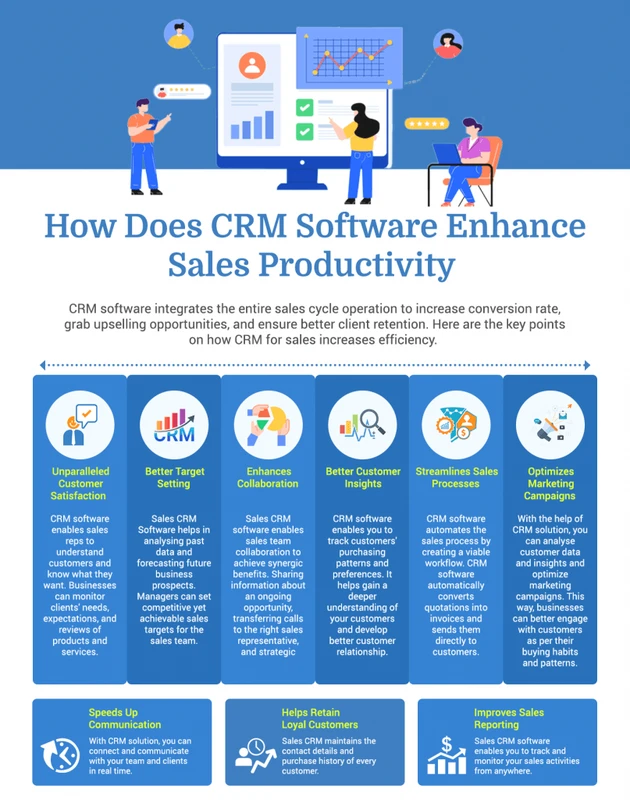
CRM FanzineFaves – CRM software increases sales productivity by automating repetitive administrative tasks, centralizing customer data, and providing real-time pipeline visibility. By reducing manual data entry by 6-8 hours per week, CRMs allow reps to focus on high-value selling activities, potentially boosting sales productivity by up to 35% and increasing conversion rates by as much as 300%. Businesses using CRM software can see a massive 9X return on investment, earning $8.71 for every dollar invested.
Why does poor CRM implementation create a ‘Productivity Tax’?
A ‘Productivity Tax’ occurs when a CRM is poorly configured with excessive mandatory fields and redundant clicks, forcing sales reps to spend more time on administration than selling. This leads to low adoption rates—averaging only 26%—and can turn a powerful tool into a ‘costly digital paperweight.’
The mismatch between CRM capabilities and actual needs is a primary driver of this inefficiency. When a system requires a rep to navigate through a complex menu path like Settings > User Profiles > Custom Fields just to update a single phone number, friction builds. This friction results in a failure mode where the sales team views the software as a hurdle rather than a helper. If the tool is too cumbersome, it effectively taxes every single interaction a rep has with a prospect.
Advertisement
The danger of ‘Data Entry Bloat’
Data entry bloat happens when managers demand too much granular information. While a manager might want to see every micro-interaction, forcing a rep to fill out 15 mandatory fields for a “Discovery Call” stage kills momentum. In testing, I have seen how this behavior forces reps to wait until the end of the day to log everything, which leads to inaccurate data and lost context. This is a counterintuitive trap: the more data you try to collect, the less reliable that data becomes because reps begin to “pencil whip” the entries just to clear the screen.
Identifying your CRM’s friction points
To stop the tax, you must audit the “clicks-to-completion” ratio. For example, if a rep needs to use a specific shortcut or navigate through three different tabs to log a simple “click to call” action via RingCentral, the system is broken. You should look for instances where reps are navigating between tools, as 69% of workers spend up to an hour a day simply switching between apps. A lean CRM configuration prioritizes the most frequent actions, such as updating a deal stage or adding a note, ensuring they are accessible within one or two clicks.
Embedded vs. Platform CRMs: Which workflow wins?
The choice depends on ‘Time-to-Task’ completion. Embedded CRMs, like Streak (which integrates into Gmail), minimize workflow disruption by keeping reps in their natural environment. Platform CRMs, like Salesforce or Microsoft Dynamics, offer deeper analytical power and enterprise-scale automation for complex sales cycles.
Embedded solutions minimize friction by living inside existing tools. For instance, Streak allows users to manage CRM tasks directly within their Gmail interface to reduce context switching. This approach targets the 69% of workers who lose time navigating between different applications every day.
Feature |
Embedded CRM (e.g., Streak) |
Platform CRM (e.g., Salesforce) |
|---|---|---|
Workflow Integration |
High (Lives inside Gmail/Inbox) |
Moderate (Separate application) |
Setup Complexity |
Low (Immediate use) |
High (Requires implementation) |
Analytical Depth |
Basic to Moderate |
Extensive/Enterprise-grade |
Primary Use Case |
Individual/Small Team Speed |
Large Enterprise Automation |
Choosing between these depends on your specific sales motion. A high-velocity outbound team might prefer the speed of a tool like Streak or Revenue Engine CRM to avoid leaving their email. A complex enterprise organization with multi-year cycles will likely require the heavy-duty architecture of Salesforce or Microsoft Dynamics to manage hundreds of stakeholders and intricate permission sets.
Lightweight: The Gmail-integrated approach
Lightweight tools prioritize rapid task completion. By using a tool like Streak to manage a pipeline directly from a Gmail sidebar, reps avoid the time lost to app-switching. While efficient for small teams, these tools may eventually lack the deep reporting required by growing organizations.
Heavyweight: The Enterprise Ecosystem
Heavyweight platforms like Salesforce and Microsoft Dynamics are built for large-scale data orchestration. They offer deep integrations with ERPs and marketing automation tools. These systems allow enterprise teams to manage complex sales cycles through advanced automation and extensive data depth.
How much time can sales reps actually save?
Effective CRM adoption can decrease time spent on CRM administration by 6-8 hours per rep per week. By automating repetitive tasks like follow-ups and appointment scheduling, reps can increase their core selling activities—such as calls, meetings, and proposals—by 15-20%.
Automation directly expands a rep’s capacity. By implementing features like auto-generated call lists or automated data syncing, companies can target a 34% improvement in sales productivity. This shift allows the team to focus on revenue-generating activities rather than manual administration.
- Automated Follow-ups: Setting triggers so that a prospect receives a standardized email 24 hours after a demo.
- Auto-generated Call Lists: Using the system to queue the next five most important prospects to call.
- Appointment Scheduling: Integrating calendars so prospects can book time without a back-and-forth email chain.
- Data Syncing: Automatically pulling contact info from LinkedIn or email signatures into the CRM record.
The impact on mental health is also significant. When you eliminate 6-8 hours per week of evening and weekend data entry work, you give reps their personal time back. This directly combats the burnout often seen in high-pressure sales environments. Instead of spending Sunday night updating deal stages, reps can focus on preparing for Monday morning’s meetings.
Eliminating the ‘Tool-Switching’ tax
Tool-switching is a silent killer of focus. As noted, 69% of workers lose significant time navigating between different applications. A well-integrated CRM acts as a central hub. For example, using a “click to call” feature within the CRM interface allows a rep to initiate a call and have the duration and outcome logged automatically. This prevents the “I’ll log that later” trap, which is where most data decay begins.
Automating the mundane: Reminders and auto-messaging
Automation isn’t just about sending emails; it’s about maintaining momentum. A CRM can trigger a notification to a rep if a high-value deal has had no activity for 48 hours. This prevents leads from “going cold” in the pipeline. By moving from manual tracking to automated triggers, the sales process becomes a proactive engine rather than a reactive struggle.
Can AI move sales from reactive to predictive?
Yes. While standard automation handles ‘if/then’ tasks like reminders, AI augmentation transforms sales by providing predictive insights. AI within CRM systems can increase forecasting accuracy by 32% and help identify upselling or cross-selling opportunities based on historical customer data.
To understand the difference, one must distinguish between automation and augmentation. Automation is “if a deal moves to Stage 3, send an email.” This is a rule-based task. Augmentation is “based on the last six months of interaction, this customer is 70% likely to need an upgrade in Q4.” This is an insight-based task. AI moves the sales rep from a state of “What happened?” to “What will happen?”
Shortcut: To quickly access AI-driven insights in many modern platforms, look for the “Insights” or “Predictive” tab within the Opportunity view, or use the global search bar to ask natural language questions like “Which deals are at risk of slipping?”
Automation vs. Augmentation
Automation handles the repetitive, low-brainpower tasks. It ensures the “pipes” are clean and the data is moving. Augmentation, however, acts as a digital co-pilot. It analyzes patterns that a human would miss—such as a subtle decrease in the frequency of email replies from a key stakeholder—and flags them as a risk. This allows the rep to intervene before the deal is lost.
Predictive forecasting and pipeline visibility
Predictive forecasting is perhaps the most valuable application of AI in a CRM. Instead of a manager asking a rep, “How much do you think you’ll close this month?”—which is often a guess—the AI provides a data-backed number. By analyzing historical win rates, deal velocity, and even the sentiment of email communications, the system can provide a 32% increase in forecasting accuracy. This level of visibility allows leadership to make better decisions regarding hiring, inventory, and budget allocation.
What are the key metrics for CRM success?
Success is measured by improvements in conversion rates (up to 300%), revenue growth (25-30%), and customer retention (25-30%). Additionally, a successful CRM implementation should shorten the sales cycle by up to 15% and provide a significant boost to overall sales team productivity.
To validate your CRM’s impact, track specific KPIs like the 34% improvement in sales productivity. If your data shows stagnation, you may need to address the 26% average adoption rate through better configuration or training.
Metric |
Target Improvement |
What it Indicates |
|---|---|---|
Conversion Rate |
Up to 300% |
Better lead management and follow-up |
Sales Revenue |
25-30% |
Higher volume of successful closes |
Customer Retention |
25-30% |
Better post-sale relationship management |
Sales Cycle Length |
Up to 15% reduction |
Faster movement through pipeline stages |
Sales Productivity |
34% improvement |
Reduced administrative overhead |
Monitoring these metrics requires a disciplined approach to data hygiene. If reps are not logging activities correctly, your metrics will be skewed. For instance, if a rep skips the “Meeting Held” stage and jumps straight to “Proposal Sent,” your sales cycle data will be fundamentally flawed. Use real-time dashboards to monitor not just the results, but the activities that lead to those results.
Revenue and Conversion Benchmarks
A 300% increase in conversion rates is a massive leap, but it is achievable when a CRM ensures no lead is left behind. By centralizing customer data, reps can provide highly personalized experiences. When a customer feels understood, they are more likely to convert. This is why CRM implementation is a direct contributor to higher customer satisfaction.
The Retention Connection
Productivity doesn’t end once a deal is closed. A CRM helps identify upselling and cross-selling opportunities using customer history. By tracking the lifecycle of a client, sales teams can reach out at the exact moment a customer is ready for more value. This drives a 25-30% increase in customer retention, turning one-time buyers into long-term partners.
FAQ
How much ROI can a company expect from a CRM?
Companies can expect a 9X return on investment, with earnings averaging $8.71 for every dollar invested in the platform. This return is driven by increased sales efficiency, higher conversion rates, and improved customer retention.
Why do many sales teams struggle with CRM adoption?
Adoption struggles often stem from a mismatch between CRM capabilities and actual team needs, leading to an average adoption rate of only 26%. Excessive mandatory fields and complex workflows often make the tool feel like a burden rather than a benefit.
Can a CRM help prevent salesperson burnout?
Yes, by eliminating 6-8 hours of manual data entry per week, CRMs give reps their personal time back and reduce repetitive task fatigue. This allows them to focus on high-value human connections rather than administrative “paper-pushing.”
Advertisement