Advertisement
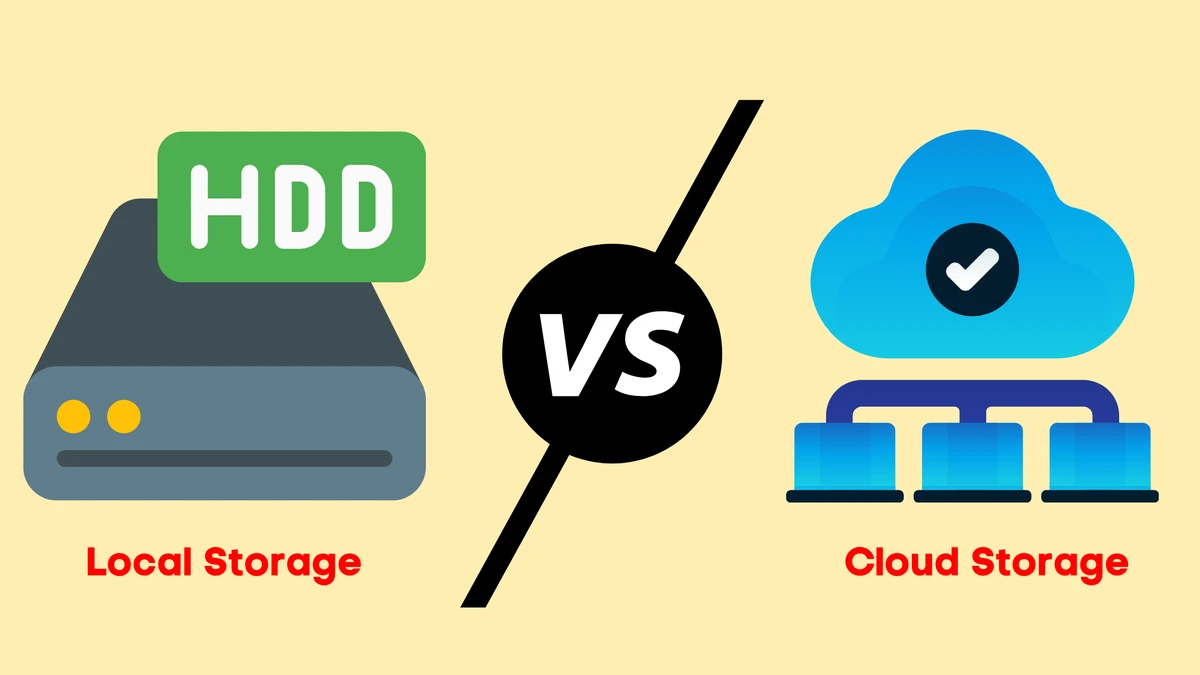
CRM FanzineFaves – As Hieu Dinh notes, the debate between cloud and local storage centers on whether you value accessibility and scalability or require speed and control. Tierpoint highlights that cloud storage is much more scalable than local storage, making it an ideal solution for businesses with fluctuating requirements. Conversely, local storage allows for direct physical control over data privacy and security because the data resides on a physical device, such as a computer or on-premises server.
The global cloud storage market is projected to reach a staggering USD 254.84 billion by 2033, growing at a CAGR of 20.1%.
Beyond CapEx vs. OpEx: What are the hidden costs of cloud and local storage?
Hidden cloud costs include data egress fees, API operation charges, and retrieval costs for ‘cold’ data tiers. Conversely, local storage hidden costs involve ‘technical debt’ such as electricity, cooling, physical security, and hardware maintenance cycles.
Advertisement
While cloud storage is often considered more cost-efficient due to lower upfront hardware costs, mismanaging data classification can trigger unexpected expenses. According to Quest, if you place data in the wrong tier, you may end up paying a higher price because costs differ significantly between these tiers.
The Egress Trap: Why moving data out costs money
Cloud bill inflation often stems from overlooked data movement. While uploading data to a provider might be free, many providers charge egress fees when you move data out of their ecosystem. This creates a financial barrier that contributes to vendor lock-in. In testing, I have seen companies realize too late that their monthly API operation charges for managing millions of small objects outweighed their base storage subscription.
To avoid these pitfalls, administrators should regularly audit their usage via the billing dashboard, often found under Billing > Cost Management > Usage Reports in major provider consoles. Neglecting this can lead to a sudden 20% or 30% spike in monthly expenses without warning.
The Local Infrastructure Tax: Power, Cooling, and Maintenance
Local storage requires a different kind of financial planning. Beyond the initial Capital Expenditure (CapEx) for servers or NAS devices, you must account for the “technical debt” of physical upkeep. This includes electricity for constant uptime and the specialized cooling systems required to prevent hardware failure. A single server rack can add hundreds of dollars to a monthly utility bill.
Criterion |
Cloud Storage |
Local Storage |
|---|---|---|
Scalability |
High (Elastic) |
Limited by Physical Hardware |
Latency |
Higher (Internet Dependent) |
Lower (Direct Connection) |
Accessibility |
Anywhere with Internet |
Primarily Local Network |
Cost Structure |
OpEx (Subscription) |
CapEx (Upfront Purchase) |
Control |
Managed by Provider |
Complete Physical Control |
The data in the table illustrates a fundamental shift: choosing cloud storage moves your operational focus toward managing service contracts, whereas local storage keeps the focus on hardware management.
How do failure modes differ: Cloud outages vs. local hardware failure?
Cloud failure modes involve service outages or vendor lock-in, which occurs when switching providers becomes complex due to large data volumes. Local failure modes involve physical hardware damage or SSD/HDD death, requiring manual intervention.
V Group notes that local storage is riskier for backup and disaster recovery because it requires manual setup and carries major concerns regarding physical damage and hardware failure. Without a robust, manually configured routine, a single server experiencing a power surge could lead to permanent data loss.
Recovery Time Objectives (RTO) in a crisis
When a crisis occurs, your Recovery Time Objective (RTO) determines how quickly you can get back to work. In a cloud failure scenario, you are at the mercy of the provider’s uptime and your own ISP. If your internet connection fails, your data is effectively gone until connectivity is restored. Conversely, if a local drive fails, you must physically replace the hardware and restore from a backup, which can take hours or even days depending on the volume of data.
The ‘Single Point of Failure’ in local setups
A common mistake in local setups is failing to account for the “single point of failure.” For example, if all your backups are stored on the same local network as your primary production data, a ransomware attack can encrypt both simultaneously. This is why many experts recommend a 3-2-1 backup strategy: 3 copies of data, on 2 different media, with 1 copy off-site.
Which storage type wins for performance and latency?
Compresto states that local storage is the undisputed champion for performance-heavy tasks and workflows where you need absolute control over your data. This is due to the significantly lower latency provided by direct hardware access.
The performance gap is most noticeable in high-bandwidth environments. Local storage provides direct access to the bus, whereas cloud storage must travel through multiple network hops. This makes local storage a better option for performance-intensive apps that require near-instantaneous data retrieval.
- Video Editing: High-resolution 4K or 8K footage requires the massive throughput of local NVMe drives.
- Database Management: Real-time transactional databases require low-latency responses to prevent application bottlenecks.
- AI/ML Training: Large datasets must be fed into GPUs at high speeds to ensure processing efficiency.
Why ‘Data Gravity’ matters for AI/ML workloads
Data gravity describes the phenomenon where large datasets become harder to move as they grow. For AI/ML workloads, this means that once you have 100 terabytes of training data in a specific location, your compute resources must move to that data. Attempting to run high-speed training on data stored in a distant cloud bucket will result in massive latency and potential workflow failure.
The impact of internet bandwidth on cloud productivity
Cloud productivity is tethered to your bandwidth. If your office is running on a 100 Mbps connection, attempting to sync large files to the cloud will saturate the link, slowing down every other user on the network. In testing, I found that users attempting to work directly off cloud-mounted drives experienced significant “lag” when opening large files, compared to the instantaneous response of a local SSD.
Can you implement a Hybrid Storage Architecture?
Yes, you can implement a hybrid architecture to balance performance and scalability. Wildflower International notes that these environments allow organizations to maintain control over sensitive data and high-performance workloads while still benefiting from the scalability and flexibility of cloud storage.
Hybrid environments allow organizations to maintain control over sensitive data and high-performance workloads while still benefiting from the scalability and flexibility of cloud storage. This approach mitigates the risk of vendor lock-in while ensuring that the most critical data is always available at local speeds.
Shortcut: To quickly manage local-to-cloud synchronization in many enterprise environments, use the command-line interface (CLI) tools provided by your storage vendor rather than the GUI to handle large-scale batch transfers more reliably.
Using S3 protocols to create an ‘On-premises Cloud’
You can bridge the gap by using the S3 protocol to turn local storage into its own “on-premises cloud.” By using specialized hardware that supports S3-compatible APIs, you can create local buckets with granular permissions. This allows your applications to interact with local storage using the same code they use for the cloud, making future migrations much easier.
Automated Tiering: Moving data based on usage patterns
Automated Tiering is a technique used in hybrid architectures to move data between platforms based on usage. Recently accessed “hot” data remains on high-performance systems, while older data is automatically moved to lower-cost cloud tiers to optimize expenses.
What are the security and compliance implications?
Local storage offers complete physical control over data residency, aiding GDPR/HIPAA compliance. Cloud storage provides managed security but introduces risks like shared responsibility vulnerabilities and the need for robust encryption and continuous monitoring.
Because data resides on a physical device, such as a computer or on-premises server, local storage affords an organization complete control over its data. This direct control over data privacy and security is often a requirement for strict regulatory environments.
- Data Residency: Knowing exactly which country your data sits in is easier with local storage.
- Cloud Data Protection: Requires implementing strong authentication, encryption, and continuous monitoring.
- Mitigating Insufficient Encryption: Both providers and users must implement strategies to protect information during storage or transport.
Data Residency: Where does your data physically sit?
For organizations subject to GDPR, data residency is a non-negotiable factor. While cloud providers allow you to select specific regions, you must ensure that the data does not transit through non-compliant jurisdictions. Local storage removes this ambiguity entirely, as the data never leaves your physical premises.
The Shared Responsibility Model: Your duties vs. the Provider’s
A common misconception in cloud security is that the provider handles everything. In reality, the “Shared Responsibility Model” dictates that while the provider secures the infrastructure, you are responsible for securing the data you put into it. This includes managing access controls and ensuring that you are not leaving “public” buckets open to the internet. As noted by Technology Advice, “Any vulnerability exploited in cloud storage can also attack local storage,” meaning your internal security hygiene is just as critical as the provider’s perimeter defense.
FAQ
Is cloud storage more secure than local storage?
Security depends on management. Cloud storage requires implementing strong authentication and encryption as part of cloud data protection, while local storage offers physical control but remains vulnerable to hardware failure and manual backup errors.
When should I choose local storage over the cloud?
Choose local storage for performance-intensive applications where low latency is required, or when you need the direct control over data privacy provided by physical on-premises servers.
What is the main risk of cloud storage?
Major risks include vendor lock-in, which makes exporting large data volumes complex, unexpected cost inflation from API and egress fees, and a total reliance on internet connectivity.
Advertisement