Advertisement
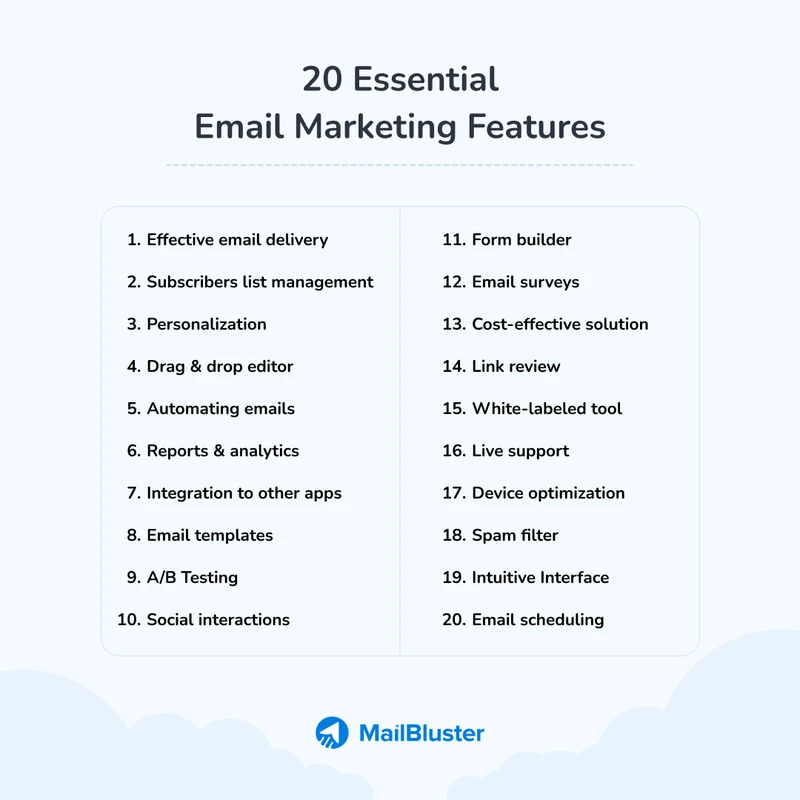
CRM FanzineFaves – Essential email marketing features include automation, segmentation, A/B testing, and drag-and-drop editors. High-performing platforms leverage AI for personalization and robust deliverability tools like SPF/DKIM authentication. When optimized, email marketing delivers a massive ROI, returning approximately $36 for every $1 spent, making it a critical channel for business growth.
Email ROI remains roughly $36-42 returned for every $1 spent, making it the highest-ROI marketing channel by a wide margin. This level of profitability stems from the direct line to customer inboxes, allowing brands to bypass social media algorithms and reach users where they are most attentive.
How do technical deliverability features protect your sender reputation?
Technical deliverability features include SPF, DKIM, and DMARC authentication to verify your identity. To prevent being flagged as spam, you must manage DNS lookups (staying under the 10-lookup limit for SPF) and implement automated Data Hygiene to remove invalid addresses and reduce bounce rates.
Advertisement
Achieving a 90 percent good deliverability rate requires maintaining a pristine sending infrastructure and rigorous list hygiene. Proper configuration of protocols ensures your messages bypass filters that might otherwise intercept unverified traffic.
The SPF DNS Lookup Trap
A common failure mode occurs when marketers inadvertently sabotage their own reputation through SPF record errors. There is a hard limit of 10 DNS lookups for SPF records. If you include too many third-party services in your SPF string, your authentication will fail, causing your emails to land in the spam folder.
To avoid this, audit your DNS settings via your domain provider’s management console. If you find your records are becoming too bloated, consider using subdomains for specific sending activities to split the lookup load.
Navigating Apple Mail Privacy Protection (MPP)
Apple’s Mail Privacy Protection (MPP) has fundamentally changed how marketers interpret data. Because MPP can trigger automated “opens” by downloading remote content, traditional open rates are no longer a perfect proxy for engagement. This makes click-through rates and conversion data even more vital for assessing true performance.
Automated Sunset Policies for List Hygiene
High deliverability depends heavily on reducing bounces. Sending to invalid or mistyped email addresses is a primary cause of delivery failure. Implementing an automated sunset policy—where subscribers who haven’t opened an email in 90 or 180 days are automatically moved to a re-engagement flow or removed—is essential for maintaining a healthy list.
What are the core features for scaling email automation?
Core automation features include trigger-based workflows, segmentation, and A/B testing. Advanced tools like ActiveCampaign offer over 135 automation triggers and 900 customizable templates, allowing marketers to send personalized messages automatically based on user actions like subscribing or browsing products.
Automation eliminates the manual labor of adding people to a recipient list or pressing send. This efficiency allows brands to maintain personalized communication without increasing headcount.
- Trigger-Based Automation: Sending messages automatically after a user performs an action, such as subscribing or browsing a specific product category.
- Email Segmentation: Organizing contacts into specific lists to target the right people with relevant content.
- A/B Testing: Testing different versions of a subject line to see which one works best for different segments.
Trigger-Based Flows vs. Manual Sending
While manual sending works for small newsletters, it cannot scale with a growing database. Using a tool like ActiveCampaign, you can access over 135+ triggers to build complex customer journeys. For example, a “Price Drop” trigger can generate massive revenue; one user reported $4,000 in revenue in less than a month using a single price drop trigger.
Segmentation: Moving Beyond Basic Lists
True scale is achieved through deep segmentation rather than broad broadcasts. Instead of sending one email to 10,000 people, you should send five different versions to five distinct segments. This ensures that a high-value customer receives different content than a first-time visitor, significantly increasing relevance.
Failure Mode: Auditing for ‘Logic Loops’ in Workflows
A dangerous pitfall in automation is the “logic loop.” This happens when two automation workflows trigger each other repeatedly, sending a single user dozens of emails in a matter of minutes. Always test your visual workflow builder by running a “test contact” through the path to ensure the logic terminates correctly.
Can AI features truly provide 1:1 personalization at scale?
Yes, AI features allow marketers to create 1:1 experiences by building models of brand voice and audience behavior. This goes beyond generic text generation; advanced AI can predict customer actions, leading to 3x higher lead-conversion rates through hyper-personalized content.
With 77 percent of businesses planning AI investment within the next two years, the technology is rapidly moving from novelty to necessity. AI allows marketers to create truly 1:1 experiences at scale without the complexity associated with manual personalization.
Shortcut: To access AI-driven insights in advanced platforms, navigate to > Settings > Intelligence > Predictive Analytics.
Predictive Analytics vs. Generative AI
It is a misconception that AI is only for writing subject lines. While generative AI helps with copy, predictive AI—such as ActiveCampaign’s Active Intelligence—analyzes historical data to predict the “best time to send” or the likelihood of a customer churning. This data-driven approach is what drives the 3x higher lead-conversion rates seen in optimized campaigns.
Building a Brand Voice Model
To avoid the “uncanny valley” of robotic AI writing, marketers must feed specific brand guidelines into their AI models. By providing examples of past successful campaigns, you can train the AI to mimic your specific tone, ensuring that automated content feels human and consistent with your brand identity.
The Risk of Over-Automation
Over-reliance on algorithms can strip the personality from your brand. Marketers should use AI to manage data analysis and timing while keeping human oversight for creative strategy.
Which features should you choose based on your business stage?
Choose features based on your lifecycle: Starters need list building and templates; Growth-stage users require automation and segmentation; Enterprise users need predictive analytics, APIs, and multi-user permissions. Matching features to business goals (like AOV or churn reduction) is more effective than collecting all tools.
Selecting the wrong tool can lead to wasted budget or technical limitations. For instance, ActiveCampaign delivers 90% of HubSpot’s automation capabilities but often at a significantly lower cost point, making it a strong contender for growing businesses.
| Platform | Best For | Key Feature Advantage | Free Tier Limit |
|---|---|---|---|
| Brevo | All-in-one marketing | High contact limits | 100k contacts / 9k emails/mo |
| Omnisend | Ecommerce | Shopping cart recovery | 250 subscribers / 500 emails/mo |
| Mailmodo | Interactive Email | AMP for email features | 500 contacts / 2k emails/mo |
| ActiveCampaign | Advanced Automation | 135+ automation triggers | No permanent free tier |
| HubSpot | Enterprise CRM | Deep CRM integration | Limited free tools |
The table above highlights how different platforms cater to specific needs, from Brevo’s high contact capacity to Omnisend’s ecommerce focus. Choosing the right tier is critical to prevent hitting sending caps mid-campaign.
The Starter Toolkit: List Building & Templates
At the beginning, your primary goal is audience acquisition. Look for platforms like Kit, which offers a Lite plan for $12.50/month, or Mailmodo. Focus on features like customizable landing pages and drag-and-drop editors that allow you to create professional visuals without a designer. For creators, MailerLite provides a 14-day free trial to test these features.
The Growth Engine: Automation & Segmentation
As you scale, manual tasks become a bottleneck. You need robust trigger-based workflows and deep segmentation. This is where platforms like ActiveCampaign or AWeber become essential. AWeber’s Enterprise plan, for example, can handle up to 250,000 monthly automation actions, providing the headroom needed for rapid scaling.
Enterprise Complexity: API & Multi-user Permissions
Large organizations require more than just sending tools; they require ecosystem integration. Enterprise-grade features include robust APIs to connect your email platform to your proprietary data warehouses, and multi-user permissions to ensure different departments (like Sales and Marketing) can collaborate without overwriting each other’s work.
How do you avoid common email design and accessibility pitfalls?
Avoid pitfalls by optimizing for dark mode, ensuring WCAG accessibility compliance (using alt-text and high contrast), and maintaining mobile-friendly, thumb-accessible designs. Always test your templates to ensure they don’t break when users switch device themes or use screen readers.
Design errors can lead to more than just an ugly email; they can cause technical failures. For instance, excessive file sizes in embedded images can lead to an email bounce due to strict size limitations in certain mail servers.
Dark Mode Survival Guide
Dark mode is no longer optional. Many users default to dark themes, which can invert your colors and make logos unreadable. To combat this, use transparent PNGs for logos and ensure your text has enough contrast in both light and dark environments. Testing your templates in a dark mode preview is a mandatory step in any design workflow.
Accessibility-First Design: Beyond Responsive Templates
Accessibility means more than just making an email look good on an iPhone. It means ensuring users with visual impairments can interact with your content. Use semantic HTML and always include descriptive alt-text for images. A tool like MailerLite’s drag-and-drop editor can simplify this, but the responsibility for high-contrast text remains with the designer.
The ‘Dead-End’ Workflow: Handling Automation Failures
A “dead-end” occurs when a user enters an automation but fails to meet the next criteria, leaving them stuck in a state where they receive no further communication. This can lead to missed revenue opportunities. Regularly audit your workflows to ensure every path has a logical conclusion or a “fallback” segment to catch drifting users.
FAQ
What is a good email deliverability rate?
A good deliverability rate is generally considered to be around 90 percent. Maintaining this requires clean lists and proper technical authentication like SPF and DKIM to ensure your messages reach the inbox rather than the spam folder.
How much ROI can I expect from email marketing?
Email marketing is one of the highest ROI channels, typically returning between $36 and $42 for every $1 spent. This high return is driven by the ability to send highly targeted, personalized messages directly to an engaged audience.
Why are my emails going to the spam folder?
Common reasons include exceeding the 10 DNS lookup limit for SPF records, high spam complaint rates, or sending to invalid/mistyped addresses that cause bounces. Ensuring your technical authentication is correct is the first step to fixing this.
What is the difference between automation and segmentation?
Segmentation is the process of organizing contacts into specific lists based on traits, while automation uses triggers to send messages to those segments automatically, eliminating the need for manual sending and increasing efficiency.
Advertisement