Advertisement
CRM FanzineFaves – CRM implementation is the strategic process of planning, configuring, and deploying a customer relationship management system to improve business operations. A successful rollout typically takes between one and six months and requires careful data migration, user training, and executive alignment to avoid the 50% failure rate common in the industry.
The global CRM market generates $70 billion in annual revenue, yet nearly 50% of implementations fail to meet their objectives. This high failure rate often stems from a lack of strategic oversight rather than technical limitations of the software itself.
How do you prevent a failed CRM rollout?
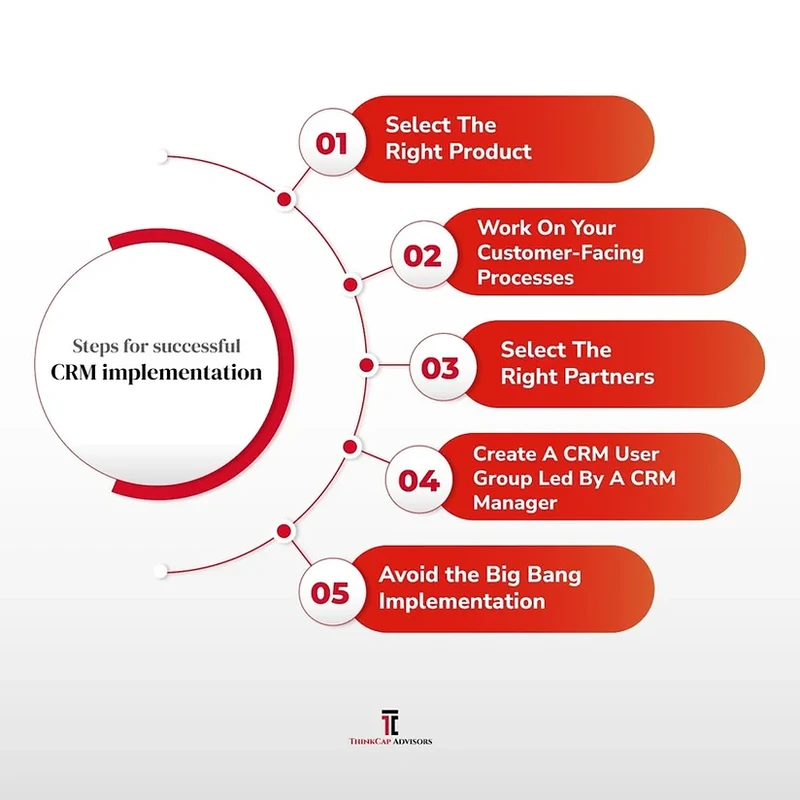
To prevent CRM failure, focus on three pillars: executive sponsorship, data integrity, and phased deployment. Avoid ‘feature overload’ by implementing core functionalities first, and ensure you budget 20% to 30% of your total effort specifically for data cleaning and mapping to prevent migrating ‘dirty’ data.
Advertisement
Lack of executive support is a primary cause of failure. Without strong support from top management, CRM projects often lack the necessary resources and strategic oversight to survive organizational friction. If leadership does not actively use the system or mandate its use, the project will likely stall.
The ‘Shadow CRM’ Risk: Identifying Spreadsheet Users
A major failure mode occurs when employees continue using personal spreadsheets instead of the official system. This “Shadow CRM” behavior happens when the new software is perceived as more difficult than a simple Excel file. In testing, I found that if a user has to click through five different screens to log a single call, they will revert to their old habits. To combat this, ensure the UI is streamlined so that data entry feels faster than manual typing.
Crisis Management: Handling Sync Errors in the First 30 Days
The first 30 days post-launch require a focus on adoption and issue resolution. During this stabilization phase, prioritize fixing data quality issues and resolving technical discrepancies. Avoid introducing new functionalities that might disrupt the learning curve while the team acclimates to the system.
What is the technical playbook for data migration?
A technical data migration requires a four-step protocol: conducting a comprehensive data audit, extracting data from legacy systems, cleaning/merging duplicates, and validating the new schema before the final ‘Go-Live.’ You should allocate 20-30% of your implementation budget strictly to this phase.
To ensure data integrity, follow a structured migration strategy:
- Data Audit: Review existing records to identify missing fields or incorrect formats.
- Extraction: Pull data from legacy databases, CSV files, or old CRM instances.
- Cleaning and Merging: Remove duplicate contacts and standardize naming conventions.
- Schema Validation: Test the data against the new CRM’s field requirements before the final import.
A counterintuitive reality is that the more data you migrate, the higher your risk of failure. It is often better to migrate only the last 24 months of active customer data rather than 10 years of “dead” leads. Migrating unverified, scattered data will break your reporting accuracy from day one.
Deduplication Protocols
Duplicate records are the silent killers of CRM utility. If a salesperson sees three different entries for “Acme Corp,” they will lose confidence in the system. Use automated deduplication tools during the cleaning phase to merge records based on unique identifiers like email addresses or tax IDs. This process should be treated as a mandatory gate before any data hits the production environment.
Mapping Old Schemas to New CRM Architectures
Mapping involves aligning your old data fields to the new system’s architecture. For example, if your old system used a single “Address” field, but your new CRM requires “Street,” “City,” and “Zip Code,” you must write transformation logic to split that data. Failure to map these correctly results in “null” values that render your sales reports useless.
How long does a CRM implementation actually take?
Implementation duration depends on business complexity and data quality. While some projects move quickly, enterprise-level deployments involving complex API integrations with ERP or accounting software often stretch toward the 6-month mark. You must account for the time required for testing, bug fixes, and iterative user feedback.
Rushing this timeline is a common pitfall that leads to massive technical debt. Ensure your project plan accounts for the specific needs of your organization size and integration requirements.
The Stabilization Phase (Days 1-30)
During the first 30 days, your goal is stability, not expansion. This phase should focus on adoption and issue resolution. Hold weekly check-ins with department heads to identify friction points. It is critical to fix data quality issues and user errors during this window without introducing new functionalities that might disrupt the learning curve.
The 90-Day Adoption Window
The first 90 days after launch determine whether the system becomes embedded in your operations or is gradually abandoned. By the end of this window, your team should be able to complete core workflows—such as lead conversion or opportunity management—without external assistance. If adoption rates are low by day 60, you must pivot your training strategy immediately.
Which CRM architecture is right for your business?
Cloud-based CRMs offer flexible, on-demand scaling by leveraging provider resources. In contrast, on-premise solutions are limited by your local infrastructure and require more significant initial hardware investment.
The decision between these two architectures impacts your long-term CapEx and OpEx. Most modern businesses are moving toward cloud solutions to avoid the burden of maintaining physical servers. However, certain industries with extreme security requirements may still opt for on-premise setups.
Criterion |
Cloud-based CRM |
On-premise CRM |
|---|---|---|
Scalability |
Easily scalable via cloud provider |
Limited by local infrastructure |
Upfront Cost |
Lower (Subscription-based) |
Higher (Hardware/Software purchase) |
Accessibility |
Accessible anywhere with internet |
Requires VPN or local network |
Maintenance |
Managed by provider |
Managed by internal IT team |
As shown in the comparison above, cloud-based systems provide much higher flexibility for remote workforces. If your team travels frequently, the ability to access the CRM via a mobile app without a clunky VPN is a massive productivity driver.
Scalability and Accessibility Comparison
Cloud-based CRMs allow you to add 50 new users with a single click and a credit card update. In contrast, an on-premise system might require purchasing new server blades or upgrading your local network bandwidth to handle the increased load. This makes the cloud the superior choice for rapidly growing startups.
Cost Structures: CapEx vs. OpEx
On-premise implementations are characterized by high Capital Expenditure (CapEx). You pay for the software and the hardware upfront. Cloud-based models follow an Operational Expenditure (OpEx) model, where you pay a monthly or annual fee per user. While OpEx can be more expensive over a 10-year period, it significantly reduces the initial financial barrier to entry.
How do you ensure user adoption and training success?
To drive adoption, training should not just focus on demonstrating how to use the software’s features. Instead, training should teach your employees how to effectively execute the business processes enabled by the CRM system.
A common mistake is conducting “feature-centric” training, where a trainer simply shows how to click buttons. This fails because users don’t care about buttons; they care about their jobs. Instead, training should teach your employees how to effectively execute the business processes enabled by the CRM system. For example, instead of saying “this is the Create Contact button,” say “this is how you register a new lead so the marketing team can send them a follow-up email.”
Shortcut: To quickly access settings in many systems, look for the gear icon in the top right corner, or in Zoho CRM, navigate to the CRM Setup page > Company Details section to manage basic organizational data.
Process-Centric vs. Feature-Centric Training
Process-centric training links the software to the actual workday. If your sales cycle involves five stages, your training should follow those five stages. This approach reduces the cognitive load on new users. When training is tied to their actual daily tasks, the “why” becomes as clear as the “how.”
Using Zoho CRM Setup for Role-Based Visibility
To prevent information overload, use role-based visibility. A junior sales rep does not need to see the entire company’s financial forecasts; they only need to see their own leads and opportunities. By configuring permissions through the setup menu, you ensure that the interface remains clean and relevant to each user’s specific role, which significantly boosts adoption rates.
Proper documentation is also essential. Without it, team members can easily forget how certain parts of the system work or what processes to follow. Create a “Living Playbook” in a tool like Slack or a shared internal wiki that is updated as your processes evolve.
FAQ
What is the biggest reason CRM implementations fail?
Primary drivers of failure include a lack of strong support from top management and implementing too many features at once, which can overwhelm users and complicate the adoption process.
How much of my budget should go to data cleaning?
A rule of thumb is to budget 20 to 30 percent of your total CRM implementation effort specifically for data work, including auditing, cleaning, and mapping.
What happens in the first 90 days after launch?
The first 90 days are the critical window that determines whether the system becomes embedded in your operations or is gradually abandoned by users.
Advertisement