Advertisement
CRM FanzineFaves – Free CRM tools for small teams offer essential contact management, lead tracking, and pipeline visualization without upfront costs. While popular options like HubSpot and Zoho provide robust free tiers, teams must evaluate specific constraints like user limits, record caps, and the ‘hidden costs’ of necessary third-party integrations to ensure long-term scalability. HubSpot customers see a 129% increase in leads acquired after just one year of use.
What are the hidden costs and ‘collaboration ceilings’ of free CRM plans?
The ‘hidden costs’ of free CRMs include vendor lock-in via restricted data exports, the need for paid middleware like Zapier to enable integrations, and ‘collaboration ceilings’ where free tiers prevent internal @mentions or shared team calendars, effectively limiting real-time communication.
Many small businesses fall into the trap of assuming “free” means zero expense. In reality, rapid growth often outpaces free features. As your customer base expands, you will likely hit user or data limits, a common failure mode seen in platforms like Salesforce. When you reach these ceilings, the cost to upgrade is often significantly higher than a mid-tier subscription would have been initially.
Advertisement
The Integration Friction: When ‘Free’ Requires Zapier
A CRM that cannot talk to your existing tech stack is a liability. While some tools offer native connections, many free tiers restrict API access. This creates a scenario where you must pay for third-party middleware like Zapier to connect your CRM to your email marketing or accounting software. For example, a team might find that while the CRM is free, the $25 monthly cost for an automation bridge effectively doubles their software spend.
Data Portability: Avoiding the Export Trap
You must verify how easily you can leave. Some vendors implement “collaboration ceilings” by making it difficult to export your data in a clean, usable format. If you cannot navigate to a “Settings > Data Export” path and download a comprehensive CSV of all your contacts, you are essentially trapped. Always test the export functionality before committing your entire sales pipeline to a new platform.
Which free CRM tools offer the best mobile and automation capabilities?
For mobile-first teams, tools like Vtiger offer automated follow-ups to reduce manual tasks, while Freshsales provides a built-in phone dialer. However, teams should verify if mobile apps offer full deal creation or are limited to ‘view-only’ functionality.
Workflow automation reduces human error and boosts productivity. Vtiger, for instance, “automates the chase” by handling follow-ups so sales reps don’t have to manually remember every prospect. This ensures no lead falls through the cracks during busy sales cycles.
When evaluating mobile capabilities, use this checklist to ensure you aren’t buying a “view-only” experience:
- Can you create a new deal directly from the mobile app?
- Does the app support the built-in phone dialer found in Freshsales?
- Can you upload attachments or notes to a contact record via smartphone?
- Is there a real-time notification system for new lead assignments?
In my testing of mobile-centric workflows, I found that many “free” apps allow you to see your pipeline but prevent you from editing it. This breaks productivity when a salesperson is in the field and needs to update a deal status immediately. If you can’t change a stage from “Qualified” to “Closed” on the go, the tool is failing its primary purpose.
How do the top free CRM providers compare in limits and features?
Top free CRMs vary significantly: HubSpot offers 1,000 contacts with no expiration, Zoho CRM allows 5,000 records, and EngageBay supports up to 15 users. Choosing the right tool depends on whether you prioritize user count, record volume, or specific automation needs.
Budgeting requires analyzing specific capacity thresholds. For example, a team might choose EngageBay for its 15-user limit despite having only a 250-contact cap. Conversely, a high-volume agency may prefer Zoho CRM’s 5,000-record capacity over more restrictive options.
| CRM Provider | Free Plan Record/Contact Limit | Free User Limit | Key Differentiation |
|---|---|---|---|
| HubSpot | 1,000 contacts | Not specified | No expiration date on free tier |
| Zoho CRM | 5,000 records | Up to 3 users | High record capacity |
| EngageBay | 250 contacts | 15 users | High user count for small teams |
| Vtiger | 3,000 contacts | Not specified | Automated follow-up features |
| Freshsales | Not specified | 3 users | Built-in phone dialer |
| Bigin by Zoho | 500 records | Not specified | Simplified pipeline view |
This comparison highlights the massive variance in “free” definitions. While Zoho CRM allows for a massive 5,000 records, Bigin by Zoho is much more restrictive with a 500-record limit. Choosing between them depends entirely on your current database size.
The Record Limit Breakdown
Record limits are the most common “growth wall.” When you hit your limit, you typically face a choice: delete old data or upgrade to a paid plan. For a company managing thousands of leads, a 1,000-contact limit like HubSpot’s can be reached surprisingly quickly without a strict data hygiene policy.
User Seat Constraints for Small Teams
User limits dictate how many people can collaborate. Freshsales is quite restrictive, limiting free plans to just 3 users. Conversely, EngageBay provides a much wider window, allowing up to 15 users on their free tier. If you are a growing startup with a team of 10, EngageBay is a mathematically superior starting point despite the lower contact cap.
What is the best implementation strategy for small teams?
To avoid adoption issues, follow a CRM Implementation Strategy: start with simple functions and build from there. This prevents teams from being overwhelmed by complex workflows before they have mastered basic contact entry.
The biggest mistake is trying to use every feature on day one. Team productivity breaks when employees are overwhelmed by “bells and whistles” they don’t understand. As Meier noted, “For growing smaller businesses like ours, I would recommend starting simple with something like HubSpot’s free tier offer, which has all your core functionality without overwhelming your teams with too many bells and whistles.”
Shortcut: To quickly clean up your view, use the “Filter” icon on the main dashboard to hide inactive leads and focus only on high-priority deals.
Avoiding the ‘Bells and Whistles’ Trap
When you first log in, ignore the advanced automation settings. Instead, focus on the CRM Implementation Strategy of starting with simple functions and building from there. If you attempt to build complex email sequences before you have even mastered basic contact entry, your team will likely abandon the tool entirely.
Ensuring Data Centralization
Avoid “data silos” by moving away from scattered spreadsheets. HubSpot suggests that “your data deserves better than spreadsheets,” emphasizing the need for a single, centralized platform to maintain integrity as you scale.
Which CRM should you choose as your team scales?
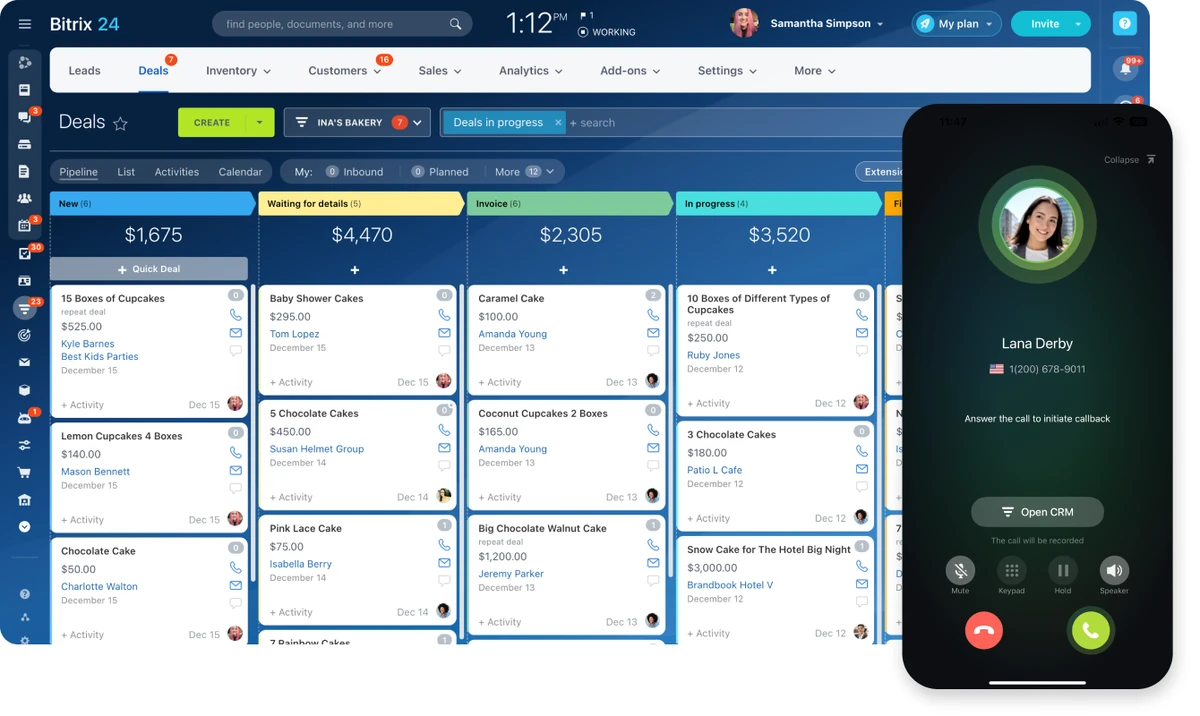
As teams scale, they must transition from free tiers to paid plans to unlock advanced automation, higher user limits, and deep customization. For example, HubSpot’s Professional plans start at $50/seat, while Bitrix24 offers a low-cost entry at $49 for five users.
Transitioning to paid tiers unlocks critical capabilities. You must evaluate if you need to bridge the “automation gap” or if you have hit the user ceiling. For instance, Bitrix24 offers a $49 plan for five users with annual prepayment, providing a different scaling path than HubSpot’s seat-based pricing.
- The Automation Gap: How much manual work is your team doing that a paid plan could automate?
- The User Ceiling: How close is your current team size to the free plan’s maximum capacity?
- The Integration Requirement: Do you need native connections to tools like Slack or Mailchimp that are locked behind paywalls?
If you are looking for budget-friendly scaling, Bitrix24 provides a $49 paid plan for five users (with annual prepayment), which is significantly more affordable than the $50 per seat starting price for HubSpot Professional. However, if you require enterprise-grade features, HubSpot’s Enterprise tier starts at $75 per seat. Always calculate your “Total Cost of Ownership” by including the cost of potential seat upgrades and necessary third-party integrations before you sign a contract.
FAQ
Does a free CRM expire?
Unlike a free trial, HubSpot’s free CRM has no expiration date, making it a permanent option for small teams that need to maintain core contact management without a ticking clock.
Can I use a free CRM for more than 3 people?
It depends on the provider; Freshsales limits free plans to 3 users, whereas EngageBay allows up to 15 users on their free tier, providing much more room for small growing teams.
What is the main risk of using a free CRM?
The primary risk is hitting scalability limits—such as the 5,000-record cap in Zoho CRM or the 3-user limit in Freshsales—which can force an expensive upgrade during critical growth periods.
Advertisement