Advertisement
CRM FanzineFaves – CRM system features are specific operational tools—such as pipeline management, automated workflows, and advanced analytics—that execute business objectives. While functions define your intent, features provide the mechanisms to achieve it. Selecting the right features can increase customer retention by up to 27% through structured account management.
The stakes for getting these tools right are remarkably high. Currently, 85% of sellers admit to making embarrassing mistakes because of faulty CRM data. This failure often stems from a misalignment between the complexity of the features purchased and the actual maturity of the organization using them.
How should you choose features based on your business maturity?
Match your CRM features to your current business stage: Startups should prioritize core contact management and pipeline tracking; Mid-market firms require workflow automation and email integration; Enterprises need advanced AI, third-party integrations, and complex data governance to manage scale and security.
Advertisement
Implementing a CRM is rarely a single event. Instead, it is most successful when following a Phased Rollout strategy to avoid overwhelming staff. Many companies make the mistake of buying every available feature on day one, only to find that only 22% of those features are actually used after deployment.
Phase 1: The Foundation (Weeks 1-8)
During the first 1-8 weeks, focus exclusively on the basics. Your primary goal is to centralize information. You do not need complex AI at this stage; you need reliable contact management, pipeline tracking, and basic reporting. If you try to skip to automation before your team can even enter a contact record, the system will fail.
Phase 2: Scaling Operations (Months 3-4)
Once the foundation is stable, move into the next stage of growth. Between months 3 and 4, you should introduce workflow automation and deep email integration. This allows your team to move from manual entry to managing processes. At this stage, you might use a menu path like Settings > Automation > Workflow Rules to begin reducing manual touchpoints.
Phase 3: The Intelligent Enterprise (Months 5-6+)
For mature organizations, the focus shifts to advanced analytics and AI features. This phase, occurring from months 5-6 and beyond, involves integrating third-party tools and leveraging intelligent recommendations. However, do not pursue this if your data is still messy. Advanced features require high-quality data to function, or they will simply output incorrect predictions.
- Startup Priority: Contact management and lead tracking.
- Mid-Market Priority: Email integration and dashboard reporting.
- Enterprise Priority: AI-powered monitoring and complex API integrations.
What are the ‘Red Flag’ features that lead to implementation failure?
Red flags include automation features that lack data validation, mobile tools without offline-first capabilities, and advanced AI modules that cannot function due to poor Data Hygiene. If a feature increases complexity without improving data accuracy, it risks low user adoption and ‘garbage in, garbage out’ outcomes.
The Danger of Over-Engineering
Over-engineering often leads to low adoption. When a system is cluttered with unnecessary tools, users struggle to navigate basic tasks. This inefficiency can result in a failure to utilize the 22% of features that typically drive actual value after deployment.
Why 45% of Organizations are Unready for AI
There is a massive gap between AI capability and data readiness. Currently, 45% of organizations report that their CRM data is not prepared to support AI features. Buying an AI module when your records are full of duplicates is a waste of capital. AI does not fix bad data; it accelerates the impact of bad data.
The Cost of ‘Dirty Data’ in Automation
Dirty data—including duplicates, incomplete records, and inconsistent formats—poisons every downstream activity. This includes reporting, automation, and forecasting. If your automation triggers a “Welcome” email to a client who actually left your service six months ago, the cost is not just a technical error; it is a damaged brand reputation.
Can you distinguish between CRM functions and CRM features?
Yes. A CRM function is a broad business objective, such as ‘improving customer retention,’ whereas a CRM feature is the specific tool used to achieve it, such as ‘structured account management’ or ‘automated follow-up tasks.’
As Vtiger notes, “CRM features are the specific tools that execute those objectives, like pipelines, workflows, or reporting. Functions define intent, while features provide the operational mechanisms to achieve it.” Understanding this distinction prevents you from buying tools that don’t actually solve your business problems.
| Concept | Definition | Example | |
|---|---|---|---|
| CRM Function | The broad business objective or “Why” | Improving customer retention | Structured account management |
| CRM Feature | The specific tool or “How” | Automated follow-up tasks | Workflow automation engine |
| CRM Function | Sales efficiency | Reducing manual data entry | Email integration & auto-logging |
| CRM Feature | Pipeline visibility | Visualizing deal stages | Drag-and-drop Kanban boards |
When evaluating a vendor like Salesforce or Creatio, do not ask “Can this CRM help me sell more?” That is a question about function. Instead, ask “Does this CRM include automated lead scoring and real-time pipeline visualization?” These are questions about features.
Which core features are essential for sales and retention?
To drive a 27% increase in customer retention, businesses should implement structured account management. This requires a combination of contact management, lead tracking, and sales pipeline visualization.
Centralizing data ensures that all departments work from the same information. Without this, sales reps often revert to using spreadsheets, which leads to missed selling opportunities and unhappy customers.
Pipeline and Opportunity Management
A visual pipeline allows managers to see exactly where deals are stalling. High-performing teams use these features to identify bottlenecks before they result in lost revenue.
The Power of Centralized Dashboards
A well-configured CRM Dashboard filters tasks and data through a centralized view. This allows different departments to share up-to-date information and prevents information silos.
Automating Repetitive Tasks to Prevent Human Error
Manual processes invite human error, leading to missed selling opportunities. By using features like automated task creation or email logging, you remove the burden of memory from your sales reps.
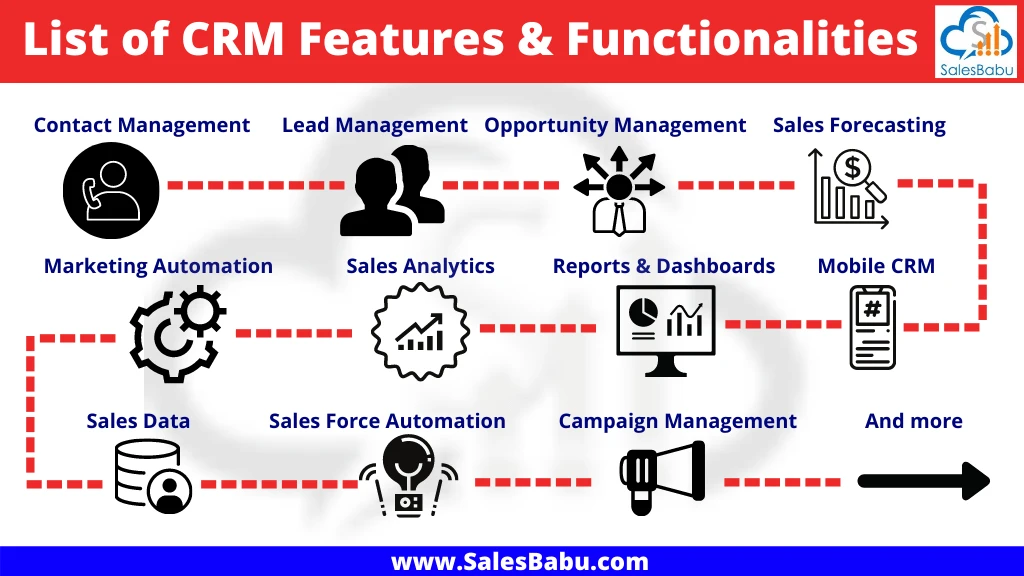
- Lead Tracking: Captures every touchpoint from initial interest to closed deal.
- Contact Management: A centralized database of all customer interactions.
- Reporting Dashboards: Real-time visibility into KPIs and sales velocity.
- Mobile CRM: Access via iOS and Android apps for on-the-go management.
How do you ensure data hygiene and AI readiness?
To ensure AI readiness, implement data governance features like automated deduplication, required field validation, and consistent naming conventions. This prevents ‘dirty data’ from poisoning downstream forecasting and AI-driven recommendations.
Effective data governance requires a continuous discipline. You should establish required field validation and deduplication processes to ensure your database remains usable for advanced analytics.
Shortcut: To quickly audit your data quality, navigate to Settings > Data Management > Deduplication Rules to review how the system handles redundant records.
Data Governance Protocols
Effective governance requires establishing strict rules for how data enters the system. You should implement required field validation so that a user cannot save a new contact without a verified email address or phone number. This prevents the “incomplete record” problem that plagues most CRM implementations.
Preparing for the 2026 AI Shift
As we move toward 2026, the ability to use AI will be a competitive necessity. To prepare, you must move beyond simple data storage and toward data intelligence. This means using deduplication processes and data quality scoring to ensure your records are clean enough for machine learning models to analyze patterns accurately.
Security and Role-Based Access Controls (RBAC)
As your data grows, so does your risk. You must define Role-Based Access Controls (RBAC) to ensure that employees only see the data necessary for their specific job. For example, a junior sales rep should not have the ability to export your entire customer database. Implement field-level security and enable audit trails to monitor who is accessing sensitive information.
FAQ
What is the difference between a CRM function and a feature?
Functions represent the broader intent, such as “increasing sales efficiency,” while features are the specific operational mechanisms, like “workflow automation,” used to reach those goals.
How much can a CRM improve customer retention?
Research from IBM shows that using structured account management through a CRM can increase customer retention by up to 27%.
Why is data hygiene important for AI features?
Dirty data—including duplicates and inconsistent formats—poisons downstream activities. Without clean data, AI-driven forecasting and automated recommendations will provide inaccurate results.
Advertisement