Advertisement
CRM FanzineFaves – A CRM for customer support is a centralized software system that provides service representatives with a complete history of customer interactions. By consolidating data from sales, marketing, and previous tickets, it allows agents to deliver personalized, rapid resolutions, preventing customers from having to repeat their issues across different channels. 82% of service professionals say customer expectations are higher than ever.
CRM vs. Helpdesk: Which approach does your support team need?
The choice depends on your scale: a Helpdesk (like Freshdesk) focuses on ticket management and SLAs, while a CRM (like Salesforce) focuses on the entire customer lifecycle. For many, the best approach is integrating both to ensure support data feeds back into sales and marketing insights.
Many managers mistakenly believe that choosing one tool over the other is a binary decision. In reality, a helpdesk is a specialized tool for managing the queue, whereas a CRM manages the relationship. If you use a helpdesk like Zendesk without a connected CRM, your support agents might solve a ticket but remain completely blind to the fact that the customer just signed a $50,000 enterprise contract.
Advertisement
Integrating CRM and helpdesk software improves cross-department collaboration. According to Freshworks, this integration specifically facilitates information sharing between sales, marketing, and customer service departments.
Feature |
Dedicated Helpdesk |
CRM with Service Modules |
|---|---|---|
Primary Focus |
Ticket lifecycle & SLAs |
Entire customer lifecycle |
Core Users |
Support Agents |
Sales, Marketing, & Support |
Data Depth |
Interaction history |
Purchase, lead, & interaction history |
Example Tools |
Freshdesk, Zendesk |
Salesforce, Microsoft Dynamics 365 |
The table distinguishes between the ticket-centric focus of a helpdesk and the lifecycle-oriented capabilities of a CRM. While a helpdesk excels at high-volume ticket routing, a CRM provides the strategic context required for high-touch relationship management.
When to choose a dedicated Helpdesk
A dedicated helpdesk is the right choice if your primary goal is managing high volumes of incoming inquiries through specific channels. Tools like Freshdesk allow you to set strict Service Level Agreements (SLAs) and manage complex ticket routing. If your team spends most of its time in a centralized inbox, a helpdesk provides the granular control needed to prevent tickets from falling through the cracks.
When to choose a CRM with service modules
Choose a CRM with service modules when your support team needs to be an extension of your sales and marketing departments. For example, in Salesforce, an agent can view a customer’s entire journey from the first marketing email to their most recent support ticket. This prevents the failure mode where support agents treat VIP clients like anonymous users because they lack visibility into their account status.
Why do CRM implementations fail support teams?
CRM implementations often struggle when organizations neglect foundational steps. Success requires following established CRM Adoption Best Practices, which include defining objectives, involving stakeholders, managing data migration, and providing continuous training and support.
One of the most common technical failures occurs during the initial setup phase. If a company migrates thousands of records without cleaning them, they suffer from massive data entry errors. These errors lead to duplicate profiles or incorrect contact information, which eventually causes customer frustration when an agent calls a customer by the wrong name or references a non-existent order.
Another critical failure mode is the creation of inefficient workflows and disorganized systems. If an administrator sets up a mandatory 15-field entry form for every single interaction, agent productivity will plummet. Instead of resolving issues, agents spend their entire shift fighting the software. This friction often leads to “shadow CRM” usage, where agents keep their own notes in Excel or Notepad because the official system is too cumbersome.
Avoid the urge to automate every single process on day one. Over-automation can strip the “human” element from support, leaving customers trapped in endless, unhelpful bot loops that increase churn rather than reducing it.
To avoid these pitfalls, follow CRM Adoption Best Practices. This includes defining clear objectives before purchase, involving stakeholders from the support floor early, and providing continuous training. A successful rollout requires more than just a software license; it requires a commitment to maintaining data integrity through regular audits and simplified UI paths.
How does a CRM improve support efficiency and agent UX?
CRM systems improve service by giving representatives easy access to complete customer histories. This access allows agents to resolve issues more quickly by providing quick, informed answers based on a customer’s specific record of past interactions.
The mental fatigue experienced by support agents is often tied to “context switching.” In a non-CRM environment, an agent might have to open a billing tool, then a shipping tracker, and then a previous email thread just to answer one question. A CRM solves this by centralizing these data points. In fact, 64% of respondents said a single view of customer interactions would help deliver better support.
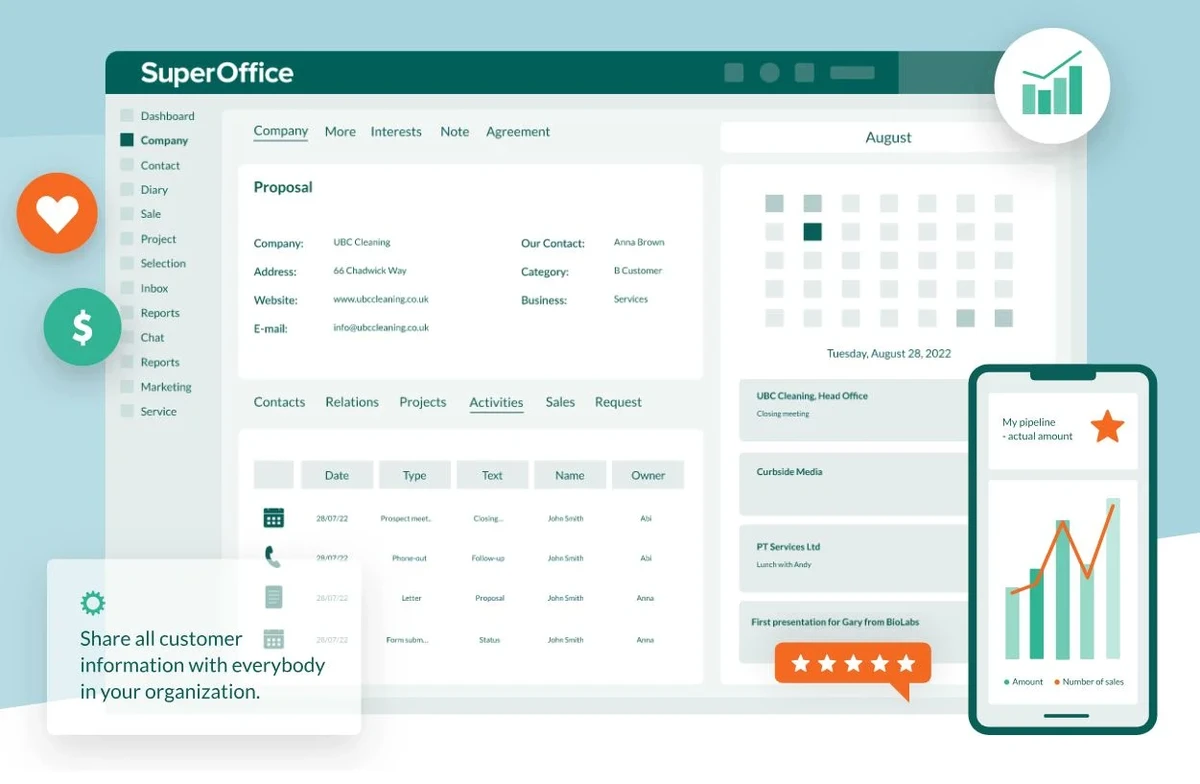
A well-configured Salesforce CRM dashboard acts as a command center. Instead of searching through disparate databases, an agent can look at a single screen to see:
- The customer’s current subscription tier and renewal date.
- A timeline of all recent support tickets and their status.
- Real-time order status and recent shipping updates.
- Notes from the sales representative regarding the client’s specific preferences.
This centralized access directly addresses the “repetition fatigue” that kills customer satisfaction. When an agent can say, “I see you contacted us last Tuesday about your login issue, and I can see that was resolved; how can I help with your new billing question?”, the customer feels heard. This level of service is only possible when the agent has immediate access to the complete customer history.
What are the 4 main types of CRM for support strategy?
There are four primary CRM types: Operational (automating processes), Analytical (data mining for trends), Collaborative (sharing data across departments), and Strategic. For support, Operational and Collaborative types are most critical for real-time issue resolution and cross-team communication.
Understanding these four types helps businesses select the right framework for their specific growth stage. While a small startup might only need basic contact management, an enterprise-level organization requires a more sophisticated blend of these categories to maintain service standards.
Operational CRM: Streamlining the Ticket Lifecycle
Operational CRM focuses on the automation of front-office processes. For a support team, this means automating the routing of tickets to the correct department based on keywords or customer tier. It streamlines the “mechanics” of support, ensuring that when a ticket is created, it immediately follows a predefined path to resolution without manual intervention.
Analytical CRM: Predicting Churn and Trends
Analytical CRM is less about the individual ticket and more about the aggregate data. By using data mining and reporting tools, businesses can identify patterns in customer behavior. For example, if an analytical report shows a 15% spike in tickets related to a specific software version, the company can proactively release a patch before the support volume becomes unmanageable. This moves the support team from a reactive stance to a proactive one.
CRM Type |
Primary Focus |
Support Benefit |
|---|---|---|
Operational |
Automating business processes |
Faster ticket routing and task automation |
Analytical |
Data mining and reporting |
Identifying churn trends and product issues |
Collaborative |
Cross-departmental sharing |
Unified customer context for all teams |
The comparison highlights how specific functions like data mining and reporting are used to understand customer behavior and preferences. A company using a platform like Monday.com might find themselves utilizing a mix of these types to manage both their daily tasks and their long-term strategic planning.
Which CRM tools are leaders in the 2026 market?
Top-rated tools for 2026 include Microsoft Dynamics 365 for enterprise-scale service, Salesforce for deep customization, and Freshdesk for specialized helpdesk-CRM synergy. Selection should be based on your specific need for omnichannel capabilities and AI automation.
When selecting a tool, you must look beyond the marketing brochures and evaluate actual user satisfaction and integration capabilities. For enterprise environments, Microsoft Dynamics 365 Customer Service is a dominant force, currently holding 78 Ratings in various industry reviews. It is designed for massive scale and deep integration with other Microsoft business suites.
For companies that need more specialized or agile solutions, the market offers several high-performing alternatives:
- ServiceNow: A leader in high-complexity service management and workflow automation.
- IFS Contact Center & Customer Engagement: A premier choice for omnichannel environments requiring a unified agent desktop.
- Vtiger Help Desk: A versatile option that balances helpdesk functionality with CRM features.
- Talkdesk: Focused on high-performance contact center and customer engagement needs.
- Bigin: A streamlined option for smaller teams needing essential CRM capabilities.
The decision rests on your technical requirements. If your team needs to handle calls, emails, chat, and social messaging all within one interface, an omnichannel-first platform like IFS is a strong contender. If your primary goal is managing a complex sales-to-support handoff, a deep-tier CRM like Salesforce remains the industry standard.
FAQ
Can a CRM actually reduce customer churn?
Yes. According to Monday.com, a CRM acts to keep existing customers engaged and can help reduce churn rates by fostering long-term relationships.
How does AI help in customer support CRMs?
AI-powered CRM tools, such as those offered by ServiceNow, can automate repetitive tasks, surface relevant information to agents, and suggest next-best actions. This allows human agents to focus on complex emotional resolutions rather than data entry.
What is the benefit of a centralized inbox?
A centralized inbox, such as the one found in Freshdesk Omni, allows agents to manage multiple channels like email, chat, and social media in one single place. This significantly improves response speed and prevents messages from being missed across different platforms.
Advertisement