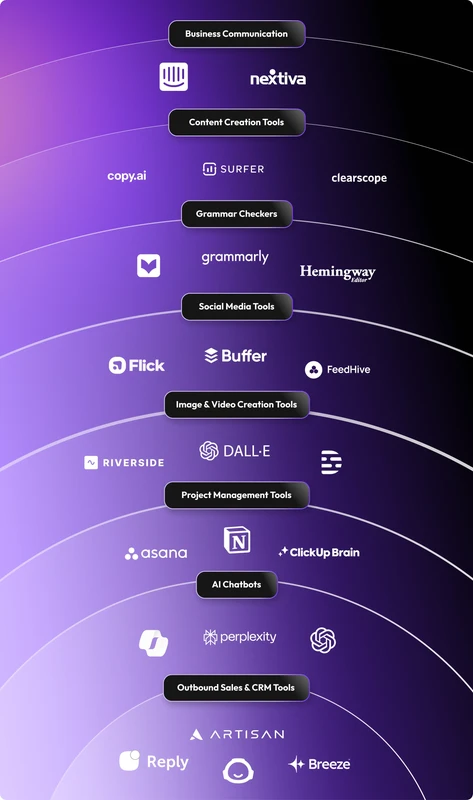
CRM FanzineFaves – AI tools for business range from generative assistants like ChatGPT to specialized orchestration platforms like RingCentral and Salesforce. By automating repetitive tasks, reducing human error, and optimizing supply chains, these tools allow small teams to scale growth and enterprise leaders to maintain a competitive edge in an increasingly automated economy. As of 2025, 82% of enterprise leaders are already using generative AI on a weekly basis.
How do you build a scalable ‘AI Stack’ without creating data silos?
To avoid data silos, businesses must implement AI Orchestration. This technique involves building connected AI systems where humans and AI share context, allowing disparate platforms to coordinate work and scale effectively.
RingCentral claims that standalone AI business tools often lead to friction in customer experiences. When an AI assistant lives in a vacuum, it cannot access the history of a customer interaction recorded in a different department. This creates a fragmented experience where the user must repeat information. To solve this, companies are adopting AI Orchestration techniques to build connected systems where humans and AI share context and coordinate work.
The difference between Task Automation and Agentic Workflows
Most businesses start at the Task Automation stage, using simple triggers to move data. However, true scalability requires moving toward Agentic Workflows. While task automation might involve a single command like “copy this text to an email,” an agentic workflow uses AI to reason through a multi-step process. For example, an agent might analyze an incoming invoice, verify it against a purchase order, and flag discrepancies before notifying a human manager.
Connecting the dots: Meeting Assistants to CRM
A common failure mode occurs when a team uses a meeting assistant, such as Fathom, that does not communicate with their primary database. To build a functional stack, you should aim for the following integration layers:
- Communication Layer: Tools like RingCentral that handle real-time voice and text.
- Context Layer: Meeting assistants that transcribe and summarize calls.
- System of Record: CRMs like Salesforce that store the finalized data.
In a properly orchestrated environment, a summary from a meeting assistant flows automatically into the CRM, ensuring that the sales team doesn’t have to manually enter notes. If this connection breaks, you face “effectiveness loss,” where the time saved by the AI is lost to manual data reconciliation.
What is the ‘Red Flag Checklist’ for vetting new AI vendors?
When vetting AI vendors, prioritize data ownership, model training opt-outs, and SOC2 compliance. Avoid tools that use personal data without explicit consent or those that lack Role-Based Access Control (RBAC), as these pose significant regulatory and security risks to your organization.
The risks of improper vetting are not theoretical. In 2024, a European retailer faced a €30 million fine after its AI-based recruitment system processed candidates’ personal data without explicit consent. This event highlights how privacy breaches and regulatory non-compliance can result in catastrophic financial penalties. Furthermore, 81% of consumers are willing to walk away from a company that mishandles their personal data, meaning a single security lapse can destroy brand loyalty.
WARNING: Security & Privacy Risks
Be cautious with public AI models when handling sensitive customer information or trade secrets. Ensure your vendor provides robust security to prevent unauthorized data exposure.
Tool Category |
Top Tool Example |
Primary Benefit |
Security Level |
Public Generative AI |
ChatGPT |
Creative brainstorming |
Low (Public Data) |
Enterprise CRM |
Salesforce Agentforce |
Automated customer service |
High (SOC2/RBAC) |
Marketing/Design |
Canva |
Rapid visual content |
Medium |
Coding/DevOps |
Qodo |
Code generation/testing |
High (Private Repos) |
Supply Chain |
Blue Yonder Orchestrator |
Logistics optimization |
High (Enterprise) |
Select your stack based on your specific technical requirements. While a public model is excellent for drafting a generic email, it cannot replace the deep integration of an enterprise-grade tool.
Sales & Customer Experience
For sales teams, Salesforce Agentforce provides a conversational partner that can log calls, update opportunities, or refine sales emails. Within the Salesforce interface, users can access these capabilities through the Starter and Pro Suites. This level of automation allows representatives to focus on closing deals rather than administrative data entry.
Operations & Supply Chain
In logistics, Blue Yonder Orchestrator helps manage complex moving parts. By using AI to predict demand and optimize routes, companies can reduce operational bottlenecks. Similarly, UiPath’s AI-driven bots automate repetitive tasks like data entry and invoice processing, significantly improving productivity in document-heavy environments.
Development & Finance
Developers are increasingly turning to Qodo to assist with coding tasks. In the finance sector, tools like FP&A Genius provide specialized support for financial planning and analysis. These tools move beyond simple automation by providing insights that are grounded in specific financial datasets.
How can small businesses maximize ROI with limited resources?
Small businesses can increase profit through 27 highly productive AI use cases. By utilizing tools like Zapier, Lindy, and Tidio, lean teams can automate scheduling and data entry to handle increased workloads.
The barrier to entry for AI has dropped significantly due to the rise of low-code and no-code platforms. Small teams can use tools like Zapier to connect disparate apps without writing a single line of code. This allows a single employee to manage the workload that previously required a full administrative department.
Low-Code/No-Code Accessibility
Platforms like Lindy and Clay allow users to build custom AI agents for specific business operations. For example, a small e-commerce brand might use Tidio to handle basic customer inquiries via an AI chatbot, freeing up the owner to focus on product development. This “digital employee” model allows for scaling without a massive increase in headcount.
Shortcut: To quickly automate a workflow, use the “Create Zap” button in Zapier to link your email provider to your CRM using a “New Email” trigger.
Scaling without increasing headcount
Salesforce notes that AI tools help small businesses by automating repetitive tasks, such as data entry and scheduling. This allows small teams to accomplish more with fewer resources.
What are the primary failure modes of AI implementation?
Common AI failure modes include ‘context drift’ in long workflows, vendor lock-in, and security vulnerabilities from malicious code in training sets. Businesses must implement continuous monitoring and feedback loops to catch unexpected model behavior before it impacts customer experience.
CRITICAL: Implementation Risks
Beware of “Shadow AI,” where employees use unapproved tools to process company data. This bypasses corporate governance and creates significant security gaps.
The Danger of Shadow AI
Shadow AI occurs when staff members use unauthorized tools like public ChatGPT accounts to process sensitive company information. This is a major security vulnerability because the data entered into these models often becomes part of the public training set. Once that data is out, it cannot be retracted, leading to permanent privacy breaches and regulatory non-compliance.
Mitigating Model Hallucinations
To prevent AI from providing incorrect or “hallucinated” information, businesses must implement Continuous Monitoring and Feedback Loops. This means establishing a process where human experts review AI outputs and feed those corrections back into the system. Without this loop, a model may experience “context drift,” where its accuracy degrades over time as it encounters new, unverified data patterns.
FAQ
Is it safe to use public AI models for business tasks?
Public AI models pose risks to trade secrets because they may use your inputs to train future iterations. Enterprise-grade tools are a safer alternative for handling sensitive customer information.
How much are businesses spending on AI?
While specific total spend varies, 88% of enterprise leaders plan to increase their spending on AI tools within the next year. This trend reflects a growing recognition that AI is essential for maintaining a competitive edge.
Can AI help with environmental sustainability?
Yes. AI can help businesses find ways to mitigate environmental impact without significant cost increases, such as optimizing energy consumption or streamlining logistics.